This guide compares 14 Maze alternatives by research fit, capabilities, pricing, and G2 ratings so you can build a shortlist around your team’s actual needs. The best Maze alternative depends on the research you need to run. Hubble is worth evaluating for usability testing, interviews, recruitment, and customer feedback in one workflow. Shortlist UserTesting for enterprise video research, Optimal for information architecture, Lookback for collaborative qualitative sessions, and Dscout for diary and field studies.
Hubble is our pick for product teams that want usability testing, interviews, repository and in-product feedback in one place. It helps teams learn from both prospective customers and existing users throughout product development.
How we compared these tools: We reviewed publicly documented research methods, recruiting options, analysis workflows, plan allowances, and pricing. “Best for” labels are editorial assessments of fit. Hubble publishes this guide and is included in the comparison.
Note: Last reviewed October 7, 2026. Product information, pricing references, and G2 overall ratings were checked against the linked sources.
Maze alternatives at a glance
Prices are in USD unless € is shown. Billing periods, seat counts, study limits, and recruitment allowances differ. G2 ratings are overall scores out of five, not an assessment of fit for your specific project. Trymata’s score refers to the legacy TryMyUI listing.
What does Maze offer today?
Maze supports prototype testing and a broader research workflow that now includes live moderated interviews and an AI Moderator. Its interview tools include scheduling, recordings, transcripts, AI summaries, and themes. Recruitment can use its panel, shared study links, in-product prompts, and participants managed through Reach.
The meaningful comparison is which capabilities your team can use on the plan you are considering. Maze’s AI Moderator is an Enterprise add-on, and access to interviews and other advanced features depends on the package. Review Maze’s current plans alongside your expected study volume. Its verified G2 rating is 4.5/5.
Switching may make sense if your team needs a different mix of methods, a better fit for participant recruitment, more suitable usage allowances, or a research workflow that connects more closely with your existing systems. Test those requirements against the shortlist below.
1. Hubble: usability testing, interviews, and participant recruitment
Best for: Product teams that want usability testing, human and AI-moderated interviews, participant recruitment, and continuous customer feedback in one platform.
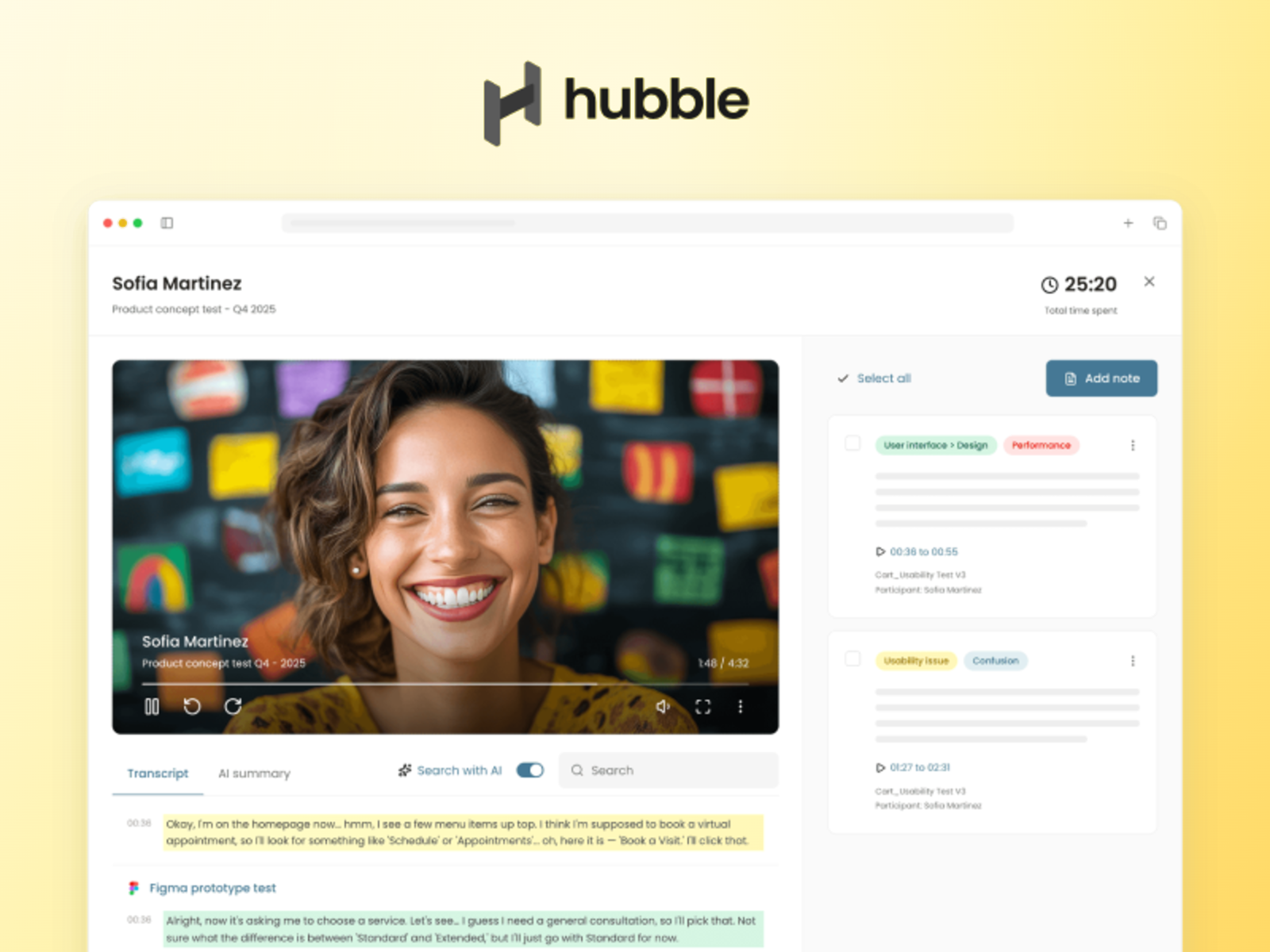
Hubble is a full-stack user research platform built for teams that do more than one type of research. It combines prototype and live website testing, human-moderated and AI-moderated interviews, surveys, participant recruitment, a participant CRM, and in-product feedback so teams can move from early discovery to design validation and post-launch learning without stitching together separate tools.
That breadth is what makes Hubble a particularly strong Maze alternative. Teams can recruit new participants through integrated recruiting partners, run research with their own customers, and keep findings connected across usability studies, interviews, and ongoing product feedback. Hubble also offers a shared research repository and an MCP integration for teams that want to incorporate research workflows into AI-native product and research processes.
Pricing: A free plan includes one seat and 10 responses per month. Enterprise pricing is custom; confirm the seats, methods, response volumes, and recruiting services included in your quote.
Check before buying: Run one representative workflow from recruitment through analysis. If your team currently uses separate tools for usability testing, interviews, recruiting, and customer feedback, compare the total workflow and cost rather than evaluating each feature in isolation.
G2 rating: 4.6/5 on G2
References: Product and research methods · Hubble pricing.
2. UserTesting: enterprise video research
Best for: Larger teams scaling recorded customer feedback and live interviews.

UserTesting supports unmoderated think-aloud studies, interaction tests, surveys, and moderated Live Conversation sessions. Its current platform includes transcripts, click maps, participant targeting, and AI-generated Insight Summaries.
Consider UserTesting when video-based feedback must serve multiple teams and stakeholders. Evaluate the edition as well as the commercial model: Advanced, Ultimate, and Ultimate+ offer different capabilities.
Pricing: Custom quotes are available for Test-based Consumption and Team-based Unlimited plans. Ask which methods, audiences, and analysis features are included in the proposed edition.
Check before buying: Match the quote to your annual test volume, research team structure, and recruiting requirements. Confirm access to card sorting, tree testing, and repository features where relevant.
G2 rating: 4.4/5 on G2
References: UserTesting plans and features · Hubble vs. UserTesting.
3. UXtweak: prototype testing, information architecture, and recruitment
Best for: Teams combining usability testing with card sorting, tree testing, and flexible participant recruitment.
UXtweak brings together prototype testing, website testing, mobile testing, first-click testing, card sorting, tree testing, surveys, session recording, and live interviews. Teams can recruit through UXtweak’s user panel, onsite recruiting, their own database, or a study link.
Consider UXtweak when your research program spans both usability evaluation and information architecture work and you want those methods in one platform. It is especially relevant for teams that need a broader set of self-serve UX research methods than prototype testing alone.
Pricing: UXtweak offers a free plan. Its Business plan starts at $92 per user per month, while Custom plans use quote-based pricing. Business allowances and interview features can vary by configuration, so confirm the package for your expected study volume.
Check before buying: Review active-study limits, monthly response allowances, data retention, participant costs, and whether live interviews or qualitative-analysis features are included in the plan you are evaluating.
G2 rating: 4.7/5 on G2
References: UXtweak features · UXtweak pricing · UXtweak pricing on G2.
4. Lyssna: design validation and usability research
Best for: Teams running recurring design, concept, and usability studies.

Lyssna offers prototype, first-click, five-second, preference, card-sort, and tree tests, alongside interviews. Its unmoderated think-aloud tests can record participants’ screen, audio, and webcam; Growth also includes live website testing and AI-assisted analysis.
Consider Lyssna when you want a self-service workflow for a mix of quick design checks and deeper usability studies.
Pricing: A free plan is available. Growth costs $199 on monthly billing or $1,990 per year; Enterprise uses custom pricing.
Check before buying: Panel recruitment is charged separately. Growth includes five launched in-depth studies per month on monthly billing, or 60 upfront on annual billing; quick studies are unlimited.
G2 rating: 4.4/5 on G2
References: Lyssna pricing · Think-aloud recordings · Lyssna plan allowances.
5. Userlytics: recorded research with flexible recruitment
Best for: Teams combining moderated and unmoderated testing across devices.

Userlytics supports website, app, and prototype studies on desktop and mobile. Research methods include moderated and unmoderated testing, card sorting, and tree testing, with screen, webcam, and audio recordings plus AI-assisted transcription and analysis.
Consider Userlytics when you want to compare several ways to purchase studies or recruit participants, including project-based work, annual panel plans, and self-recruitment subscriptions.
Pricing: Pricing depends on the plan and participant source. The published self-recruitment subscription starts at $699 per month, paid annually; this is a specific plan, not the entry price for every Userlytics study.
Check before buying: Separate platform access, participant sourcing, session length, and service support in the quote so that you compare equivalent research volumes.
G2 rating: 4.4/5 on G2
References: Userlytics plans and features.
6. Optimal Workshop / Optimal: information architecture and navigation research
Best for: Teams testing information architecture, content structure, and navigation.

Optimal combines card sorting and tree testing with first-click, prototype, live website, and survey research. Its current platform also includes transcripts, thematic analysis, summaries, and highlight reels.
Consider Optimal when navigation and content organization are recurring research priorities, alongside broader usability work. Its current offering extends beyond card sorting and tree testing.
Pricing: Starter is $199 per month on annual billing and includes five studies launched per year, unlimited seats, and unlimited responses per study. Enterprise pricing is custom.
Check before buying: Budget around the study allowance and separately purchased recruitment credits. Unlimited responses per study do not remove the annual study limit.
G2 rating: 4.4/5 on G2
References: Optimal plans, methods, and allowances.
7. Lookback: live qualitative sessions and stakeholder observation
Best for: Researchers prioritizing video sessions, observation, and collaboration.

Lookback supports both moderated and unmoderated research, including mobile research. Stakeholders can observe sessions and use private chat, while researchers work with recordings, transcripts, clips, and cross-session AI search. It also advertises AI Moderation.
Consider Lookback when live qualitative sessions and collaborative observation are central to your research process.
Pricing: The Freelance plan costs $299 per year and includes 10 sessions, a solo seat, and unlimited guests. Lookback currently offers annual commitments.
Check before buying: Size the plan around sessions and collaborators. Recruiting is powered by User Interviews; participant incentives are separate from included recruitment fees.
G2 rating: 4.3/5 on G2
References: Lookback pricing · Lookback research features.
8. Loop11: task-based usability testing and behavioral analytics
Best for: Teams measuring task completion and website or prototype journeys.

Loop11 supports moderated and unmoderated studies on desktop, mobile, and tablet, as well as prototype testing and benchmarking. Its platform includes recordings, clips, timestamped notes, and AI insights.
Consider Loop11 when you want structured task-based studies and behavioral analysis. Pro adds heatmaps, clickstreams, path analysis, and data export.
Pricing: Rapid Insights costs $179 per month with annual billing or $199 on monthly billing. It allows three projects per month, with up to 10 of your own participants per project.
Check before buying: Review project and participant limits, required analytics, and recruitment costs. Subscription plans use your own participants; facilitated recruitment sits outside those plans.
G2 rating: 3.7/5 on G2
References: Loop11 plans and features.
9. Userfeel: recruited usability sessions and annual research credits
Best for: Teams planning usability sessions around a research credit allowance.

Userfeel supports moderated and unmoderated studies and surveys, using its panel or your own testers. Its current plans cover desktop, mobile, and app research; Team adds methods such as tree testing and closed card sorting, alongside AI analysis.
Consider Userfeel when you want to budget for recruited sessions using annual credits and can estimate how session length affects consumption.
Pricing: A limited free plan supports your own testers. Solo costs $3,000 per year for 50 credits; one 20-minute panel session uses one credit at that tier.
Check before buying: Match the tier to your methods, languages, and session lengths. The current pricing matrix places non-English panel access, information-architecture methods, and AI features on Team or above.
G2 rating: 4.5/5 on G2
References: Userfeel pricing and allowances · Userfeel features.
10. Userbrain: quick recorded usability checks
Best for: Small teams running focused usability studies with recruited testers.

Userbrain supports website and prototype tests plus native iPhone and Android app testing. Its current offering includes demographic targeting, screening, transcripts, AI notes, clips, cross-session insights, and reports.
Consider Userbrain when you need a straightforward way to collect and review recorded feedback for a focused product question.
Pricing: Starter costs $49 per month and includes three panel testers and one test setup per month. The Flex plan offers 30 testers for $1,100 per year with unlimited setups.
Check before buying: Compare test-setup limits, panel allowances, and sessions with your own participants. Included testers expire at the end of the applicable billing cycle.
G2 rating: 4.5/5 on G2
References: Userbrain pricing · Userbrain features.
11. Trymata / QuestionPro UX: usability research and behavioral analytics
Best for: Teams evaluating usability studies alongside qualitative research.

Trymata, formerly TryMyUI, now routes its public usability and pricing pages to QuestionPro UX. QuestionPro announced an agreement to merge with Trymata in February 2026. Its UX offering covers moderated and unmoderated tests, interviews, focus groups, session replay, and AI-assisted highlights.
Consider this option when you want to explore usability testing alongside QuestionPro’s broader research offering. Trymata’s former pricing pages now route to QuestionPro UX.
Pricing: Request current UX plans, available methods, and migration terms from QuestionPro. Older standalone Trymata plan prices are not a reliable reference for today’s packaging.
Check before buying: Verify the precise product and plan in your proposal. The 4.3/5 G2 score below belongs to the legacy TryMyUI listing; it is not a rating for the entire QuestionPro platform.
G2 rating: 4.3/5 on G2 (legacy TryMyUI listing)
References: QuestionPro and Trymata announcement · QuestionPro UX.
12. Useberry: prototype testing and live website journeys
Best for: Design teams combining prototype studies, website tests, and interviews.

Useberry supports prototype tests with tools such as Figma and ProtoPie, live or staging website tests, and moderated interviews. Recordings, click tracking, and user flows help teams examine how participants move through an experience.
Consider Useberry when design validation and usability testing are frequent tasks and you also need live interviews within the same platform.
Pricing: The free plan includes 10 responses per month. Growth is €83 per month billed yearly (€996 per year), with one seat, 300 own-audience responses, and five interviews per month.
Check before buying: Review response, interview, and seat allowances. The official pricing page displays euros, and recruitment from its participant pool has different response-limit treatment from your own audience.
G2 rating: 4.4/5 on G2
References: Useberry pricing · Useberry product overview.
13. Great Question: participant CRM and continuous customer research
Best for: Teams organizing ongoing customer research around a participant CRM.

Great Question combines participant CRM, interview scheduling, surveys, prototype testing, and an AI repository. The repository supports highlights, tagging, and project synthesis, helping teams keep research connected to their participants.
Consider Great Question when recruiting from your customer base, scheduling studies, and organizing findings are major workflow requirements.
Pricing: Self-serve costs $129 per seat on monthly billing or $1,290 per seat per year, with up to five paid seats. Enterprise uses custom annual pricing; a 14-day trial is available.
Check before buying: Enterprise is required for card sorting, tree testing, MCP, and the AI moderation add-on. External recruitment and participant incentives are extra.
G2 rating: 4.7/5 on G2
References: Great Question pricing and feature access · Hubble vs. Great Question.
14. Dscout: diary studies, field research, and interviews
Best for: Teams studying behavior over time and in real-world contexts.

Dscout combines diary and field studies with usability testing, moderated and AI interviews, surveys, and card sorting. Its usability tools include task metrics, recordings, and heatmaps, making it relevant to evaluative work as well as longitudinal research.
Consider Dscout when you need to understand behavior across days or real-world situations, then explore what you learn through interviews or usability tests.
Pricing: Dscout offers custom subscriptions across Core, Select, and Enterprise. Request a quote based on team access, study volume, participant sourcing, and compensation.
Check before buying: Map your workflow to the edition. Real-time intercept studies are listed in Select, while panel access or your own participants and AI Studio are available in Core.
G2 rating: 4.5/5 on G2
References: Dscout pricing · Dscout research methods.
How to choose a Maze alternative
Start with the research method
Define the decision before choosing a tool. Prototype task completion, a live discovery interview, navigation testing, and a diary study require different study designs and outputs. Use Hubble, UserTesting, Lyssna, or Userlytics as starting points for mixed-method research; explore Optimal for information architecture, Lookback for collaborative video research, and Dscout for behavior over time. Confirm the required method in the specific plan you evaluate.
Match recruitment to the audience
Decide whether you need people from an external panel, your existing customers, or both. Compare screening options, geographic coverage, participant compensation, and how repeat participation is managed. A large advertised panel does not guarantee that a particular specialist audience is available. For customer research, assess how a participant CRM and in-product surveys fit your process.
Separate AI interviewing from AI analysis
An AI-generated summary and an AI moderator solve different problems. The first helps analyze a completed session; the second asks questions or follows up during the research. If you need AI-moderated interviews, test follow-up quality, participant experience, language support, and whether findings can be traced back to recordings or transcripts. Check if the feature is included or sold as an add-on.
Review the analysis and sharing workflow
Inspect the actual outputs: prototype paths, completion metrics, recordings, clips, transcripts, themes, and reports. Ask a teammate who did not run the study to review the findings. If your team uses AI tools through MCP, compare the supported actions and access controls as part of the workflow, alongside exports and other integrations.
Confirm governance and operational fit
For an enterprise rollout, evaluate the proposed plan’s permissions, observer access, SSO, data handling, retention controls, and support. Include the people who approve procurement and research operations early, especially when changing how participant data and session recordings are managed.
How to compare the total cost of research
Compare the annual cost of the research you plan to run, rather than only the headline subscription price. Start with your expected studies, completed sessions, researchers, and external recruits. Then ask each vendor to price that same workload.
- Platform fees: Seats, study launches, recorded sessions, responses, storage, and annual commitments.
- Participant costs: Recruitment fees, incentives, specialist screening, and session length.
- Method and AI access: Add-ons or higher editions needed for interviews, information architecture, AI moderation, or advanced analysis.
- Team operations: Observer access, governance, exports, onboarding, and support.
For example, a plan with unlimited responses may still cap study launches. A low monthly price may include only a few panel testers, while a larger annual plan may use credits that vary by session duration. The pricing notes above highlight these differences so that you can request comparable quotes.
Evaluate your shortlist with one research project
Use one real product decision to compare your final two or three options. A practical pilot gives your team more useful evidence than a feature checklist alone.
- Choose a shared task. Use the same prototype or website journey, research question, and target audience.
- Run the required methods. If your workflow combines usability tests and interviews, include both in the pilot.
- Assess the participant experience. Check joining, instructions, recording, device compatibility, and the interview flow.
- Review the evidence. Compare findings with the underlying sessions and ask how easily teammates can use the results.
- Price the annual workload. Include platform fees, recruitment, incentives, and the features your pilot actually required.
Compare Hubble and Maze for your workflow
If you are evaluating Hubble, start with our Hubble vs. Maze comparison. Then bring one representative study to a Hubble demo so you can review the workflow from study setup and recruitment to analysis and sharing.
For a broader shortlist, explore our guides to user research tools, usability testing tools, and UserTesting alternatives.

Your end-to-end research workflow, in one place.
Plan, recruit, run, analyze, and share research, all in one workflow.
FAQs


Our pick for product teams combining usability testing, interviews, and in-product feedback is Hubble. UserTesting is a strong shortlist option for enterprise video research, Optimal for information architecture, Lookback for collaborative live sessions, and Dscout for diary and field studies. These are editorial assessments of workflow fit, not universal rankings. Compare the methods, plan access, recruitment costs, and usage allowances for your own project.
Hubble and Dscout document AI interview workflows. Great Question offers AI moderation as an Enterprise add-on, and Lookback advertises AI Moderation. Maze itself also offers an AI Moderator, so compare the interview experience and plan access rather than assuming the capability is absent. Check how each option asks follow-ups, records sessions, and connects findings to source evidence. See Hubble AI interviews, Great Question plans, and Maze AI Moderator.
Hubble, Lyssna, and Useberry offer limited free plans, and Userfeel has a free option for studies with your own testers. Userbrain’s Starter plan is $49 per month and includes three panel testers and one test setup. Compare the included responses, studies, seats, and participant allowances before deciding which is lower cost for your workload. See Hubble pricing and Userbrain pricing for current terms.
Both platforms support usability testing and interviews. Choose Hubble for a closer look when you want prototype and website tests, human- and AI-moderated interviews, participant recruitment, a participant CRM, and contextual surveys in one research workflow. Hubble also documents MCP tools for study drafts and recruitment preparation, with separate publishing steps and permission controls. Compare the proposed plan and total research cost, then run a representative study. See the Hubble vs. Maze comparison and MCP workflow guide.


.png)