Recruiting participants in UX research is just as critical as facilitating the study itself. Speaking with the right people, who match your study objectives and participant profile, is key to gathering relevant data and delivering actionable insights.
Hubble helps you find reliable, high-quality participants without the usual hassle of recruitment. These aren’t just people looking for a incentive payout, but individuals who are trained to think-out-loud and motivated to contribute to research. By partnering with Respondent and User Interviews, two leading participant recruitment platforms, Hubble connects you to a global pool of more than five million participants across 150+ countries, representing a wide range of professions and industries.
This guide walks you through the step-by-step process of recruiting participants in Hubble:

Target specific audiences, invite, and fill your studies with users who closely match your criteria
Request a DemoStreamlining Recruitment with Hubble
- Streamline research workflow: Design your study, recruit participants, collect data, synthesize insights, and pay out participants in a single platform. No more juggling multiple tools as everything is managed in one place, saving your team time and reducing friction.
- Access to millions of high-quality participants: Tap into both B2B and B2C audiences across various industries and roles. These participants are trained to think aloud and provide thoughtful feedback, so you get insights you can trust.
Many teams come to us after frustrations with low-quality participants from other platforms, like UserTesting. - First qualifying participant under 30 minutes: Get your first qualified participants as soon as with 30 minutes depending on the type of participant profile.
- Automated recruitment process: Our integrations handle the heavy lifting by distributing screeners, qualifying participants, and managing incentives. This automation means less recruitment effort for you and more time for you to focus on data sensemaking.
- Internal Participant Management: In addition to the external participants recruited via Respondent or User Interviews, you can also manage your own pool of participants.
- Target multiple audience types: Hubble allows you to run multiple recruitment projects within a single research study. This is especially helpful if you’re managing more than one participant profile for a given study.
Pre-requisites
To begin a recruitment, you need a general project (whether it's moderated or unmoderated) to get started as recruitment is tied to each project.
- Moderated or Unmoderated study: A live study is required to connect recruitment in your workspace. After the recruitment project goes live, you can access the recruitment tab in the projects directory.
- Participant profile: It's important to have all the recruitment materials ready as you set out the recruitment. Have a clear idea of participant criteria, including demographics, industry, skill sets, or behavioral characteristics. The more detailed your profile, the better you can target the right participants for your research.
- With access to a large and diverse participant pool from Respondent and User Interviews, reaching your target sample size is rarely a concern. We recommend defining your participant criteria as precisely as possible, allowing use to prioritize high-quality matches from within this broad pool.
Creating a Recruitment Project
You can create and manage recruitment projects under Recruitment tab in any active projects. There are four stages to a recruitment project:
- Draft: is in editable stage that is yet to be launched. A new recruitment will begin as the draft mode.
- Live: The recruitment is ongoing and actively recruiting participants. It requires you to review, invite, confirm submission, and payout.
- Paused: is a study that is either manually disabled or paused after participants have been recruited x3 the target sample size.
- Completed: shows projects that have concluded and cannot be resumed.
Step 1. Create a New Recruitment Project
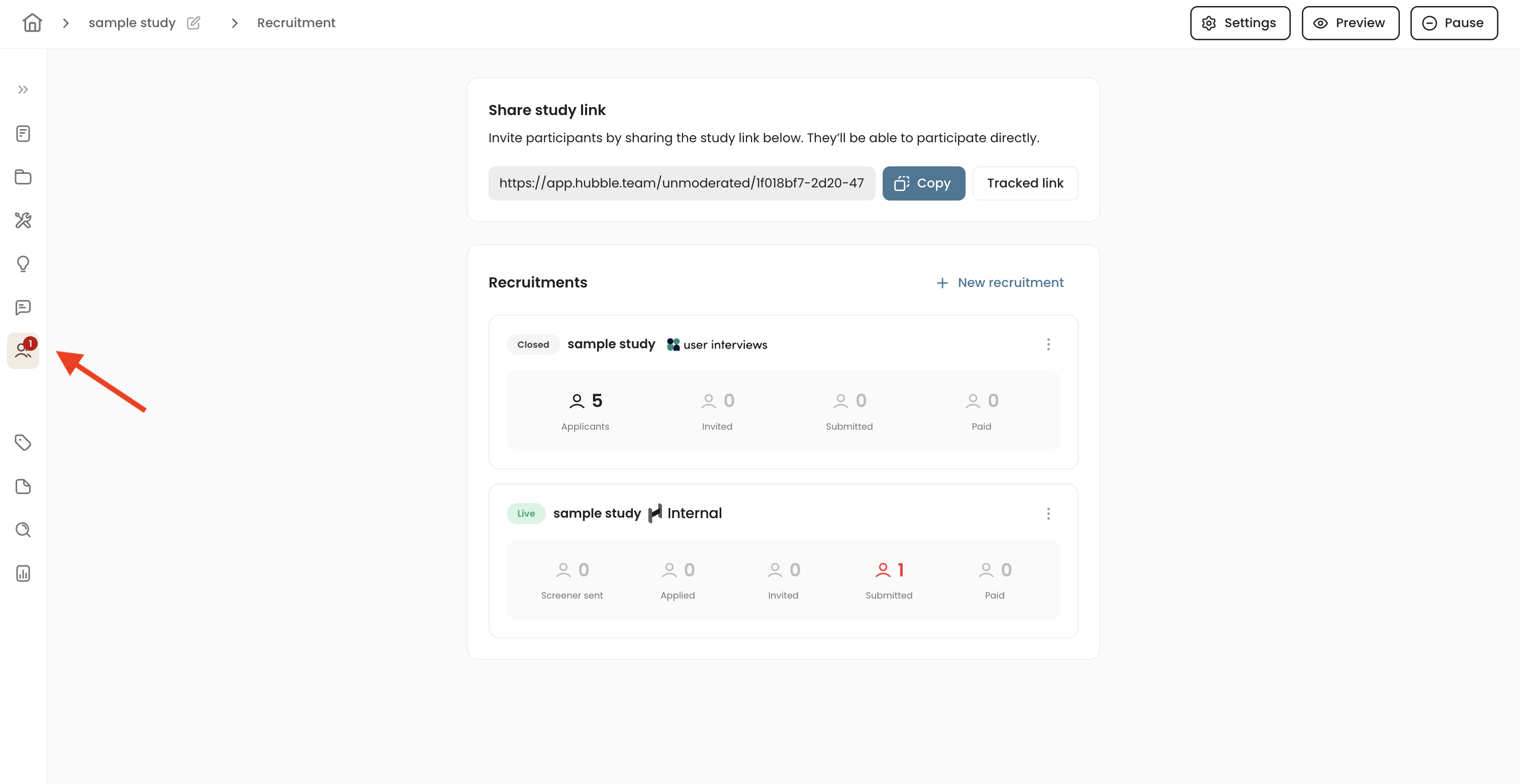
To get started, select + New recruitment. Within a given project, you can create multiple recruitment projects.
Step 2. Select Participant Pool
You have the option to recruit from your internal CRM contacts, Respondent, or User Interviews depending on your study goals.
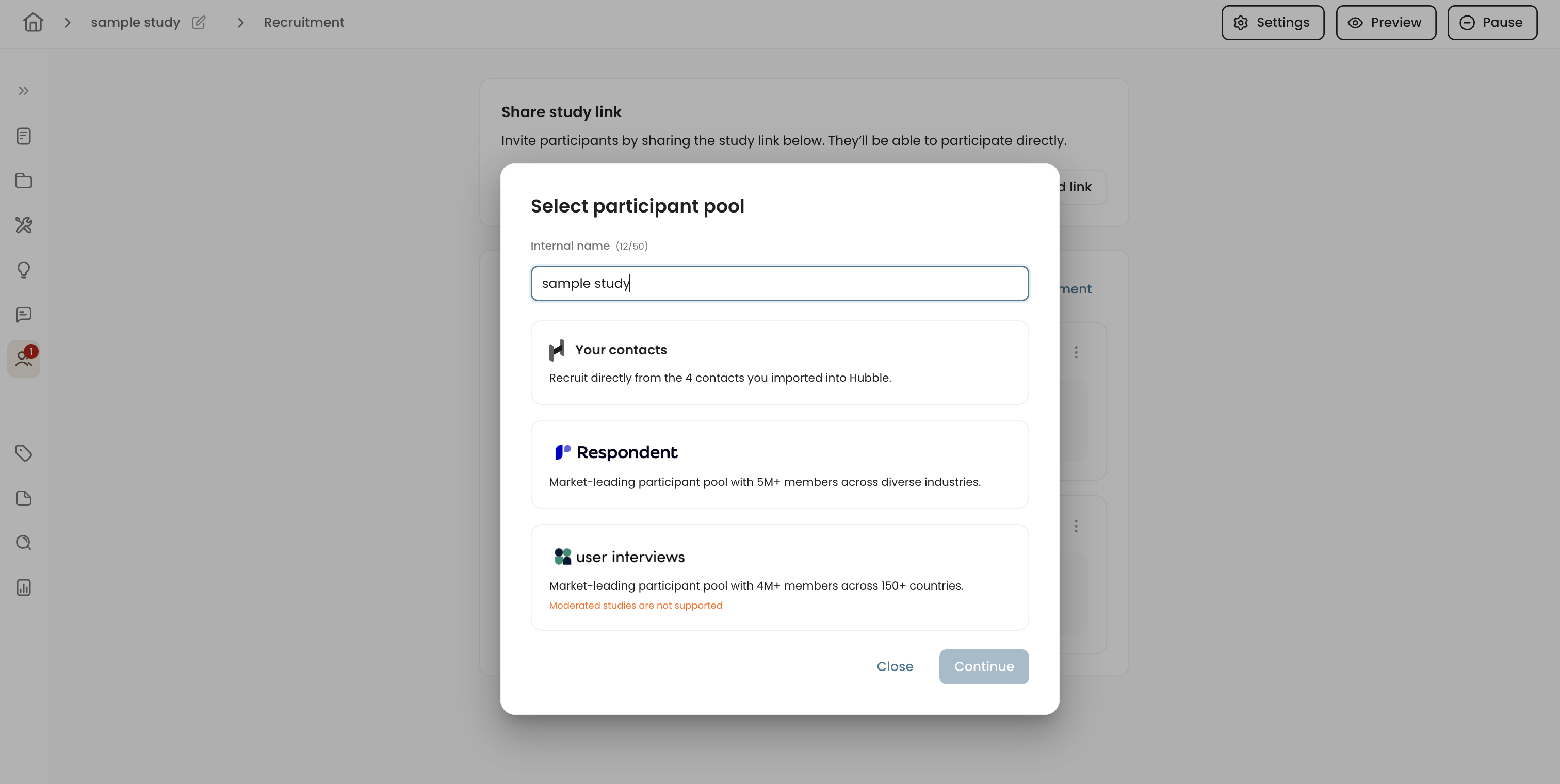
Hubble provides you access to millions of high-quality participants sourced directly from Respondent and User Interviews.
- Respondent offers over access to millions of participants across 150+ countries, making it a great choice for general usability tests and broad feedback collection.
- Please note that moderated / interview research is only supported by Respondent.
- User Interviews also offers expansive list of participants across various industries and locations, ideal for highly targeted research studies.
The choice of platform typically depends on the target participant profile and the researcher’s preferences. While the platforms offer similar capabilities, they may differ slightly in the demographic filters available for participant recruitment.
Step 3. Project Details
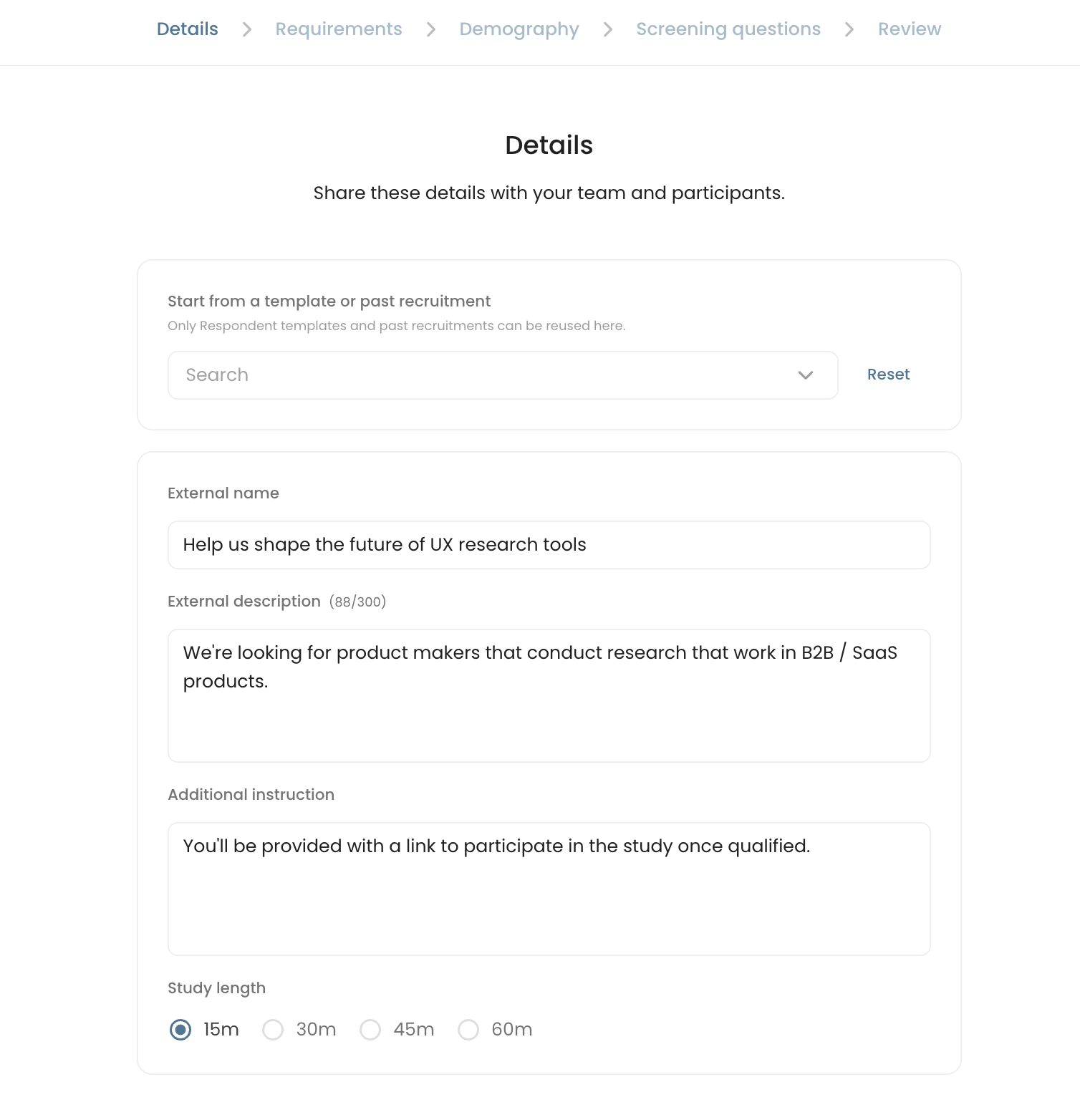
Project details include:
- Start from a template or past recruitment: will allow you to import any saved recruitment templates, or make copies from previous studies. This is especially useful when you want to re-use particular set of screener questions or customer profile.
- Eternal name: This is what gets displayed as the study title to external participants.
- External description: Displayed to participants who meet the initial demographic criteria. This should provide a high-level overview of the study.
- Additional instructions (Unmoderated): This additional detail is shown to participants once they’re invited. Use this space to share what to expect, how to access the study link, and any other information about what the study entails.
- Study length: If you're recruiting through Respondent or User Interviews, the study length determines the number of credits used and the corresponding incentive amount paid to participants.
Step 4. Requirements
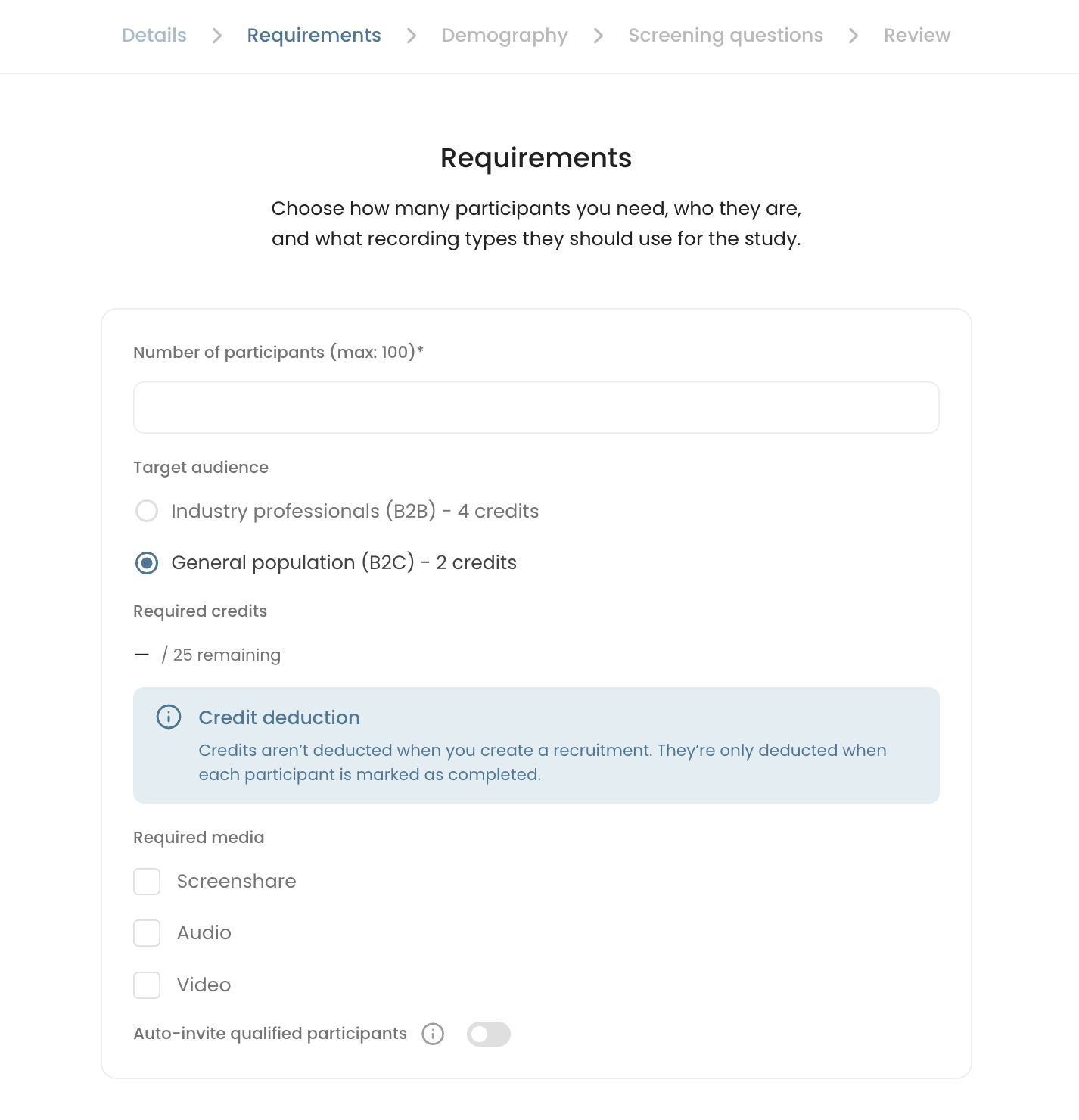
In this tab, you’ll specify additional details such as target sample size and participant type (B2B or B2C).
- Number of Participants: Set the target number of participants for your study. Hubble will recruit three times your target sample size so you can select from a larger pool.
- Example: If your target sample size is 10 participants, the system will generally reach for 30 candidates. Once the pool reaches x3 your target, the recruitment project automatically pauses.
- Target Audience (B2B or B2C): The demographic options you’ll see in the next step depend on which audience type you select. To learn more, see our article on the differences between B2B and B2C participants.
- Credits will be automatically calculated based on the number of participants and target audience type.
- Recording media: Specify whether participants should share their screen, audio, or webcam video during the research session.
- Auto-invite: If this is toggled, participants will automatically be invited if they meet the requirements and qualify from the screener questions.
Step 5. Demography
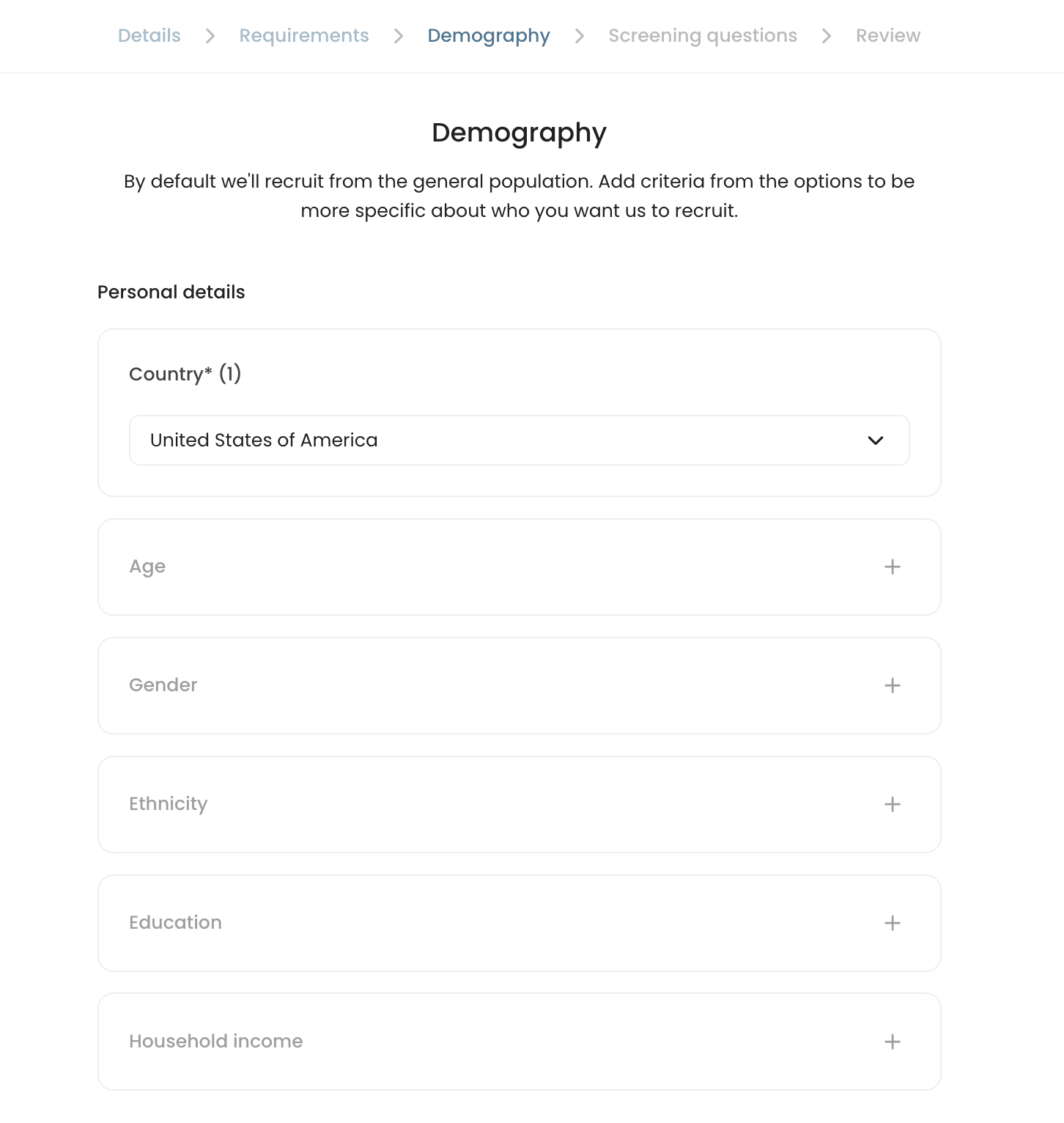
Defining the right demographic filters is important to make sure your study gathers insights from the most relevant participants. It is worth considering the diversity and representativeness of the participant pool so that insights reflect the broader user base or market segment.
Below are the overall fields to be filled:
- Personal details, including country, age range, ethnicity, gender, education, and household income range.
- Target background information depends on the type of participant you selected in the previous step (B2B or B2C participants).
B2B recruitment adds an extra layer of filtering by allowing you to specify professional criteria such as job responsibilities, skill sets, and more. Be sure to specify these fields to accurately capture the participant profile for your research project. These include:
- Industries
- Job titles
- Skills
- Company size
For B2C participants, you can set general high-level topics:
- Project topics: e.g., Real estate, education, arts, science, and etc.
These filters help target and distribute the study invitation to participants who match your customer profile.
Step 6. Screening Questions
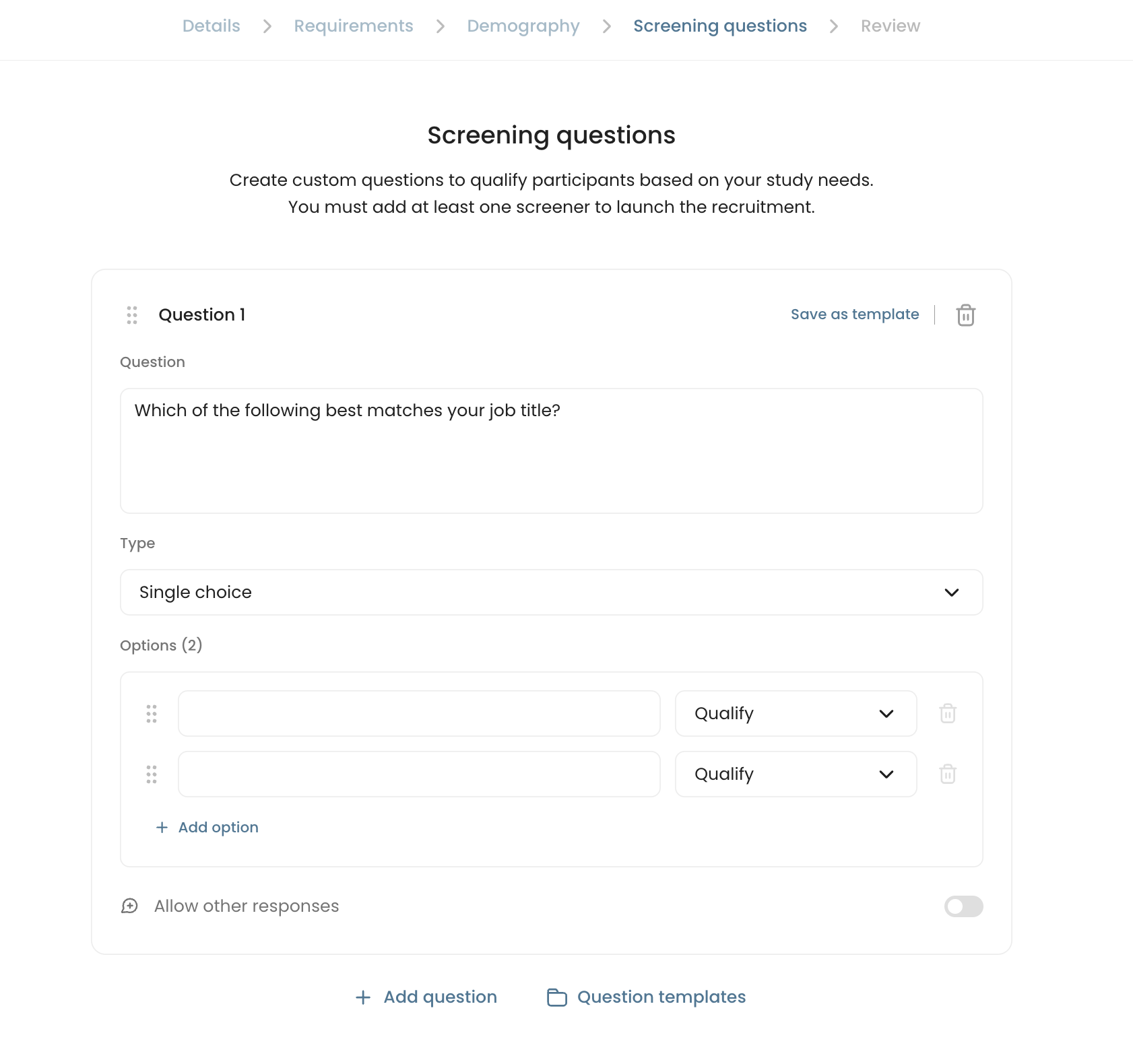
You can further refine your recruitment by adding screening questions. These questions should focus on participant behaviors and specific experiences so that they closely match your study’s needs and criteria.
- There are three question types: Single choice, multiple choice (multi-select), and open text.
- You can also save and import individual screener questions using Question templates.
- You can add questions with + Add question, and reorder questions by drag-and-drop.
- Make sure to keep your screener questions concise and straight to the point so that questions can screen participants early on in the survey.
Step 7. Review and Submit Recruitment
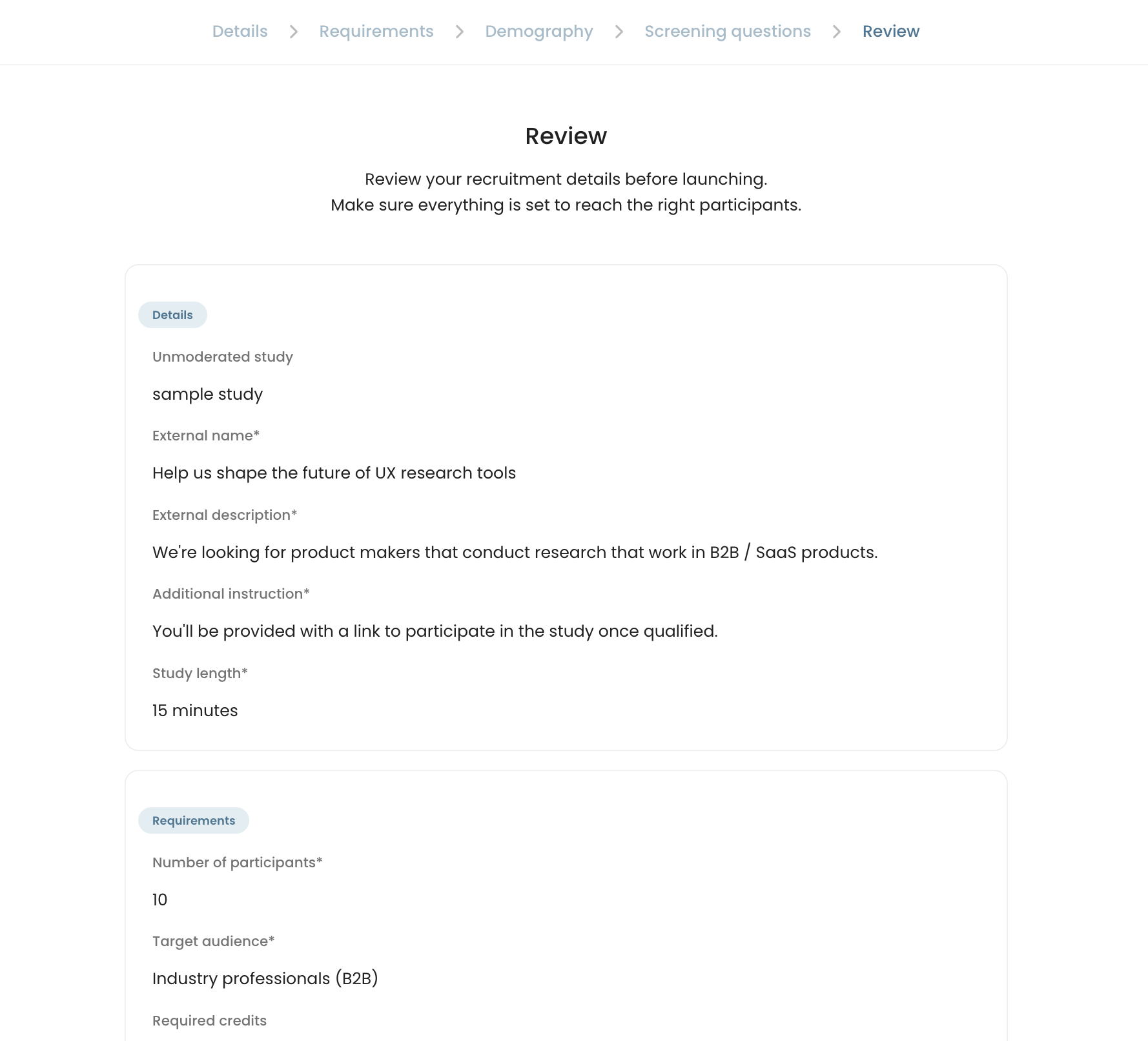
Make sure your project details, demographic filters, and screener questions are accurate before launching the recruitment project. Any required field left unfilled will be highlighted in red.
- If you don’t have all the details ready, you can return later. Your project will be automatically saved as a draft. The recruitment project will be accessible on the Recruitment tab.
- Once you’re satisfied with your setup, click Submit to begin. Launching recruitment will automatically start sourcing participants who fit your study criteria.
- If your study requires multiple participant profiles, you can easily set up additional recruitment projects within the same study.
Reviewing and Inviting Candidates
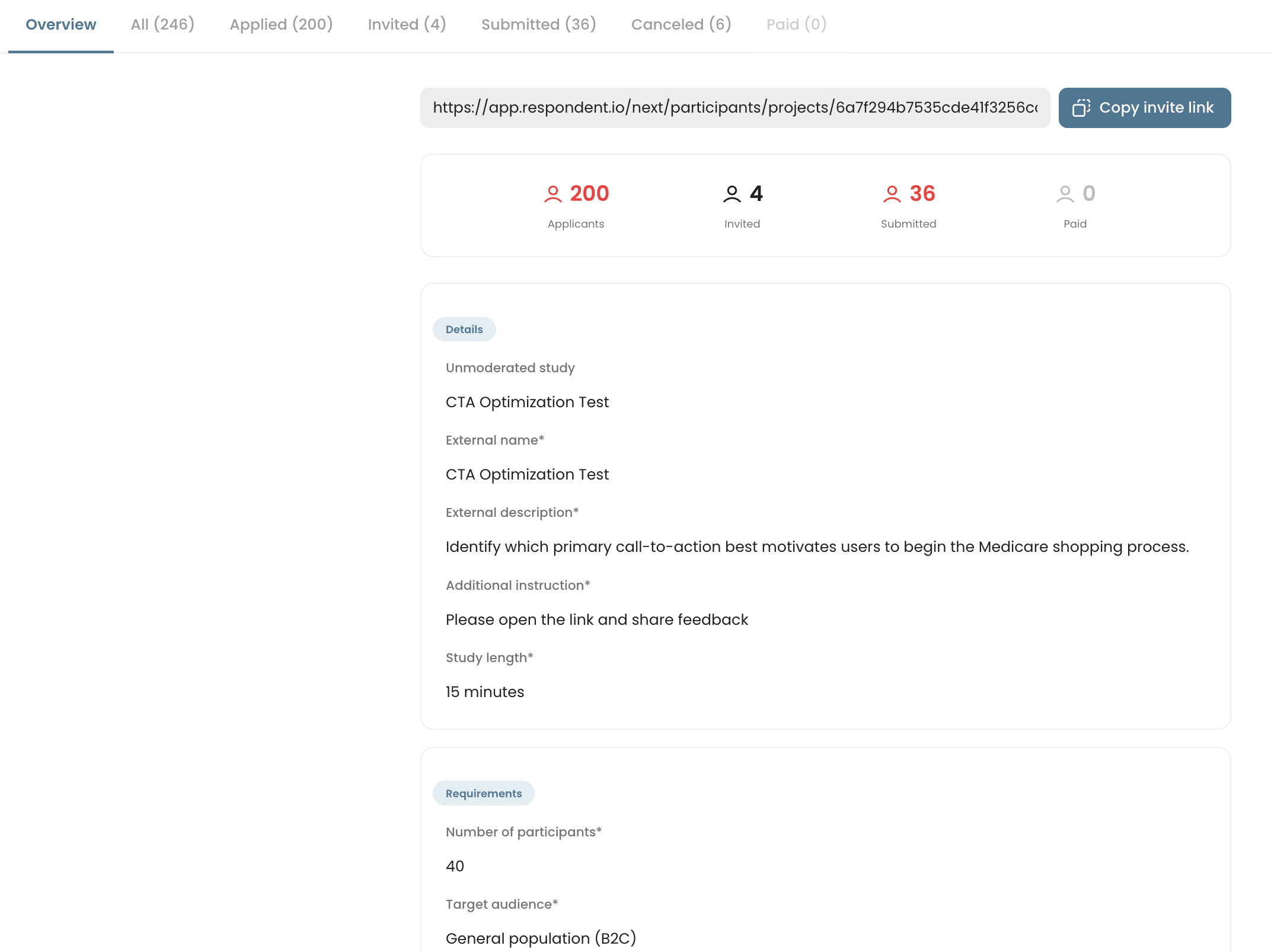
Once the study is active, you’ll be able to monitor submissions in real time. In the overview tab, you can review the recruitment details along with any submissions.
- Applicants: is the total number of participants that have submitted their screener responses.
- Invited: shows the number of participants that have been invited to participate.
- Submitted: is the number of participants that have submitted their responses and requires review.
- Paid: You can pay out participants that have submitted, and will be marked as complete.
Reviewing Candidates
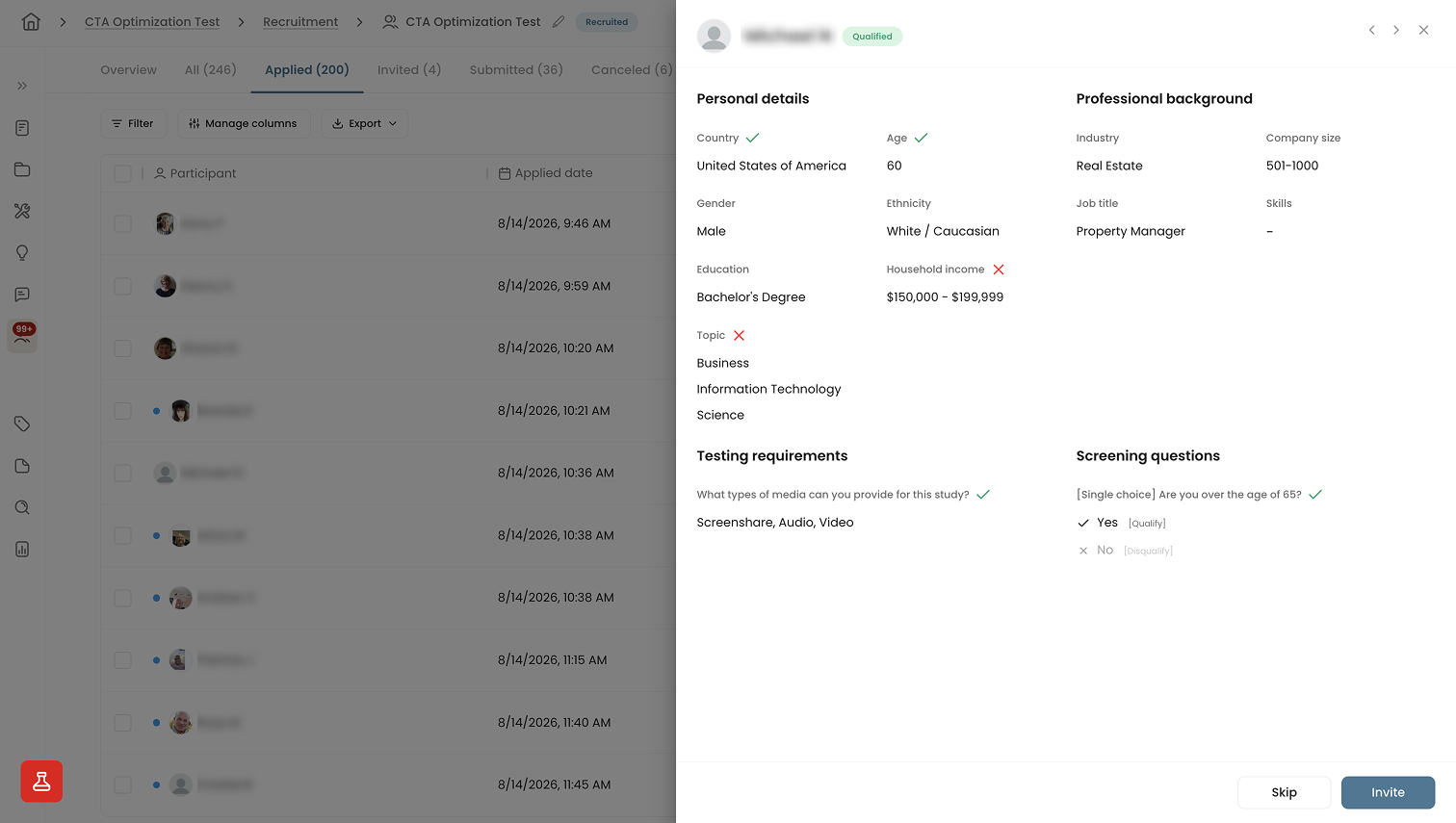
Any participants that submitted their screener responses will appear in the Applied tab. Clicking on the name allows you to review their demographic details along with their responses to the screening questions.
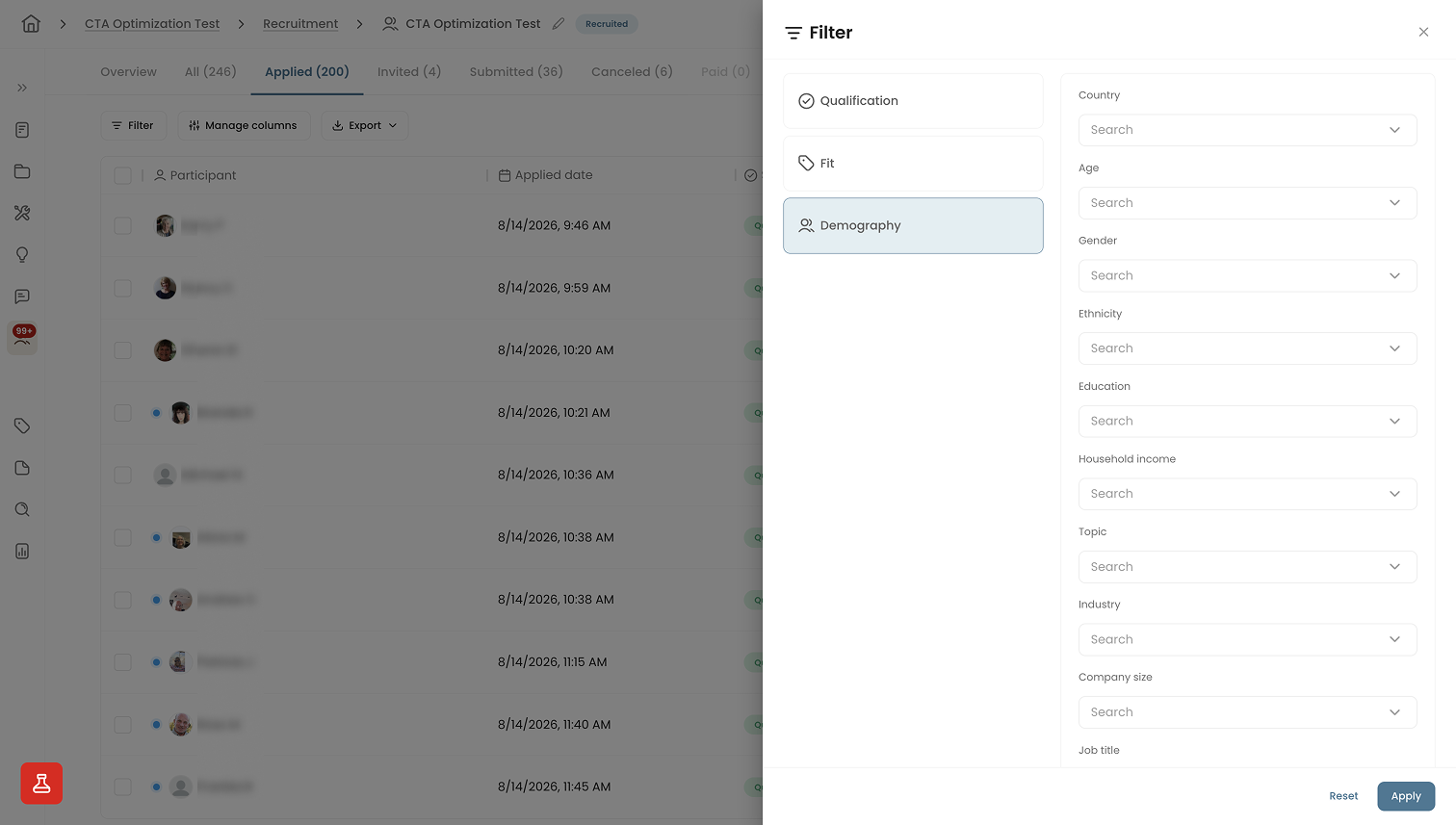
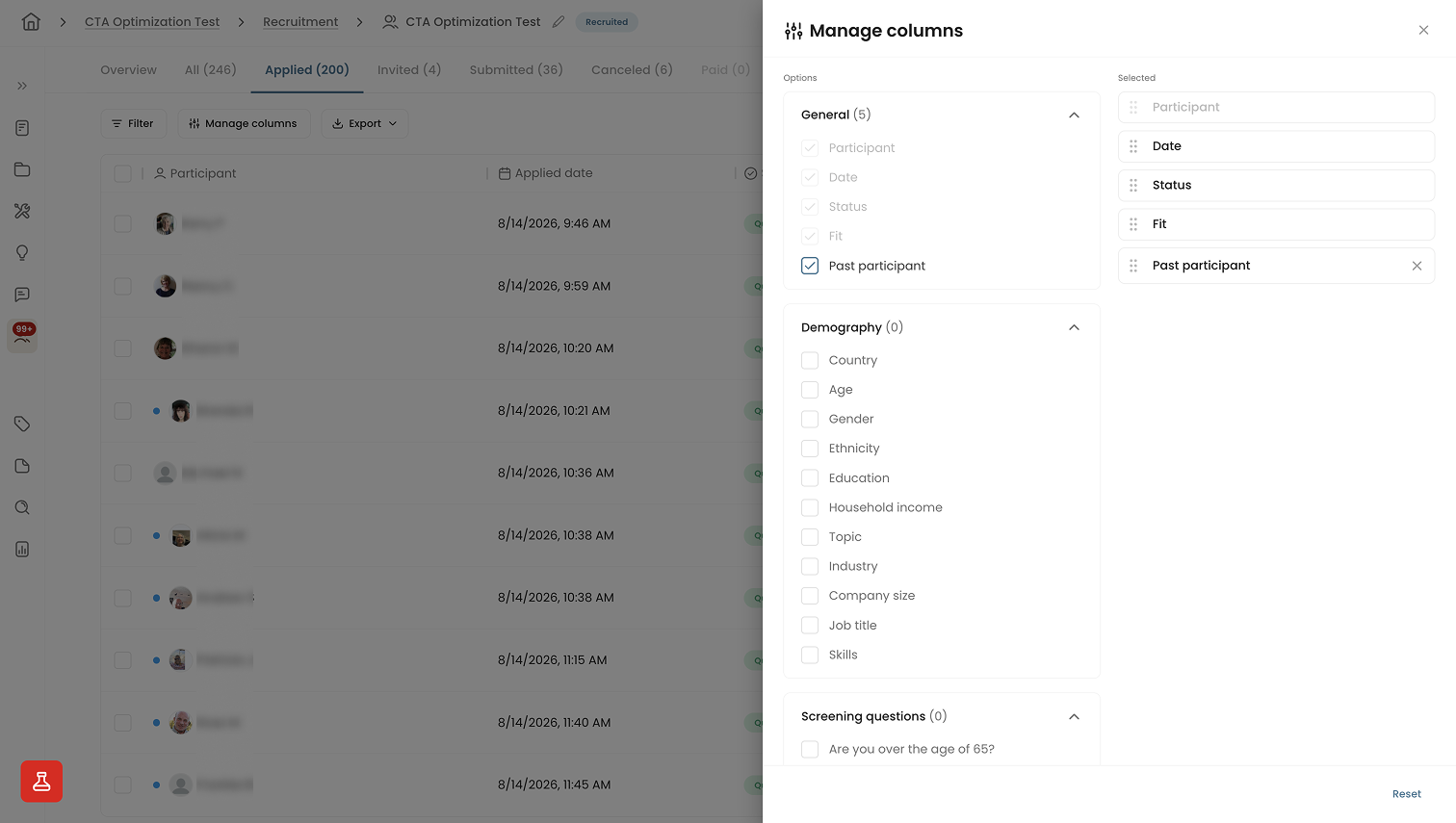
The default table view lets you easily review candidates at scale. You can filter and specify how you view the table. You can also tag participants to add custom marks.
Inviting Participants
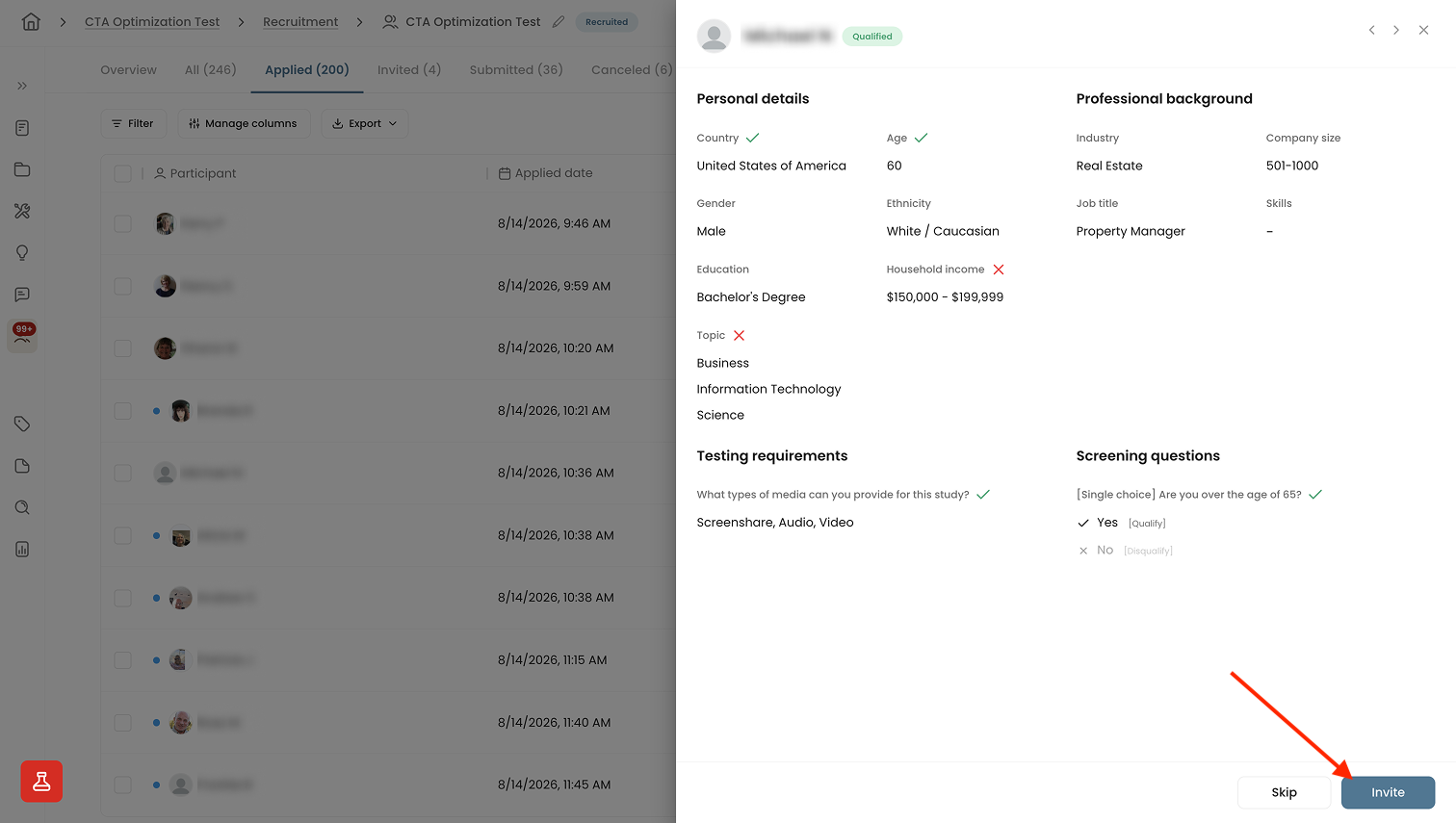
If you find a well-fitting participant, you can invite them by clicking the Invite button in the top right corner of their candidate detail view. Selecting Skip will archive them.
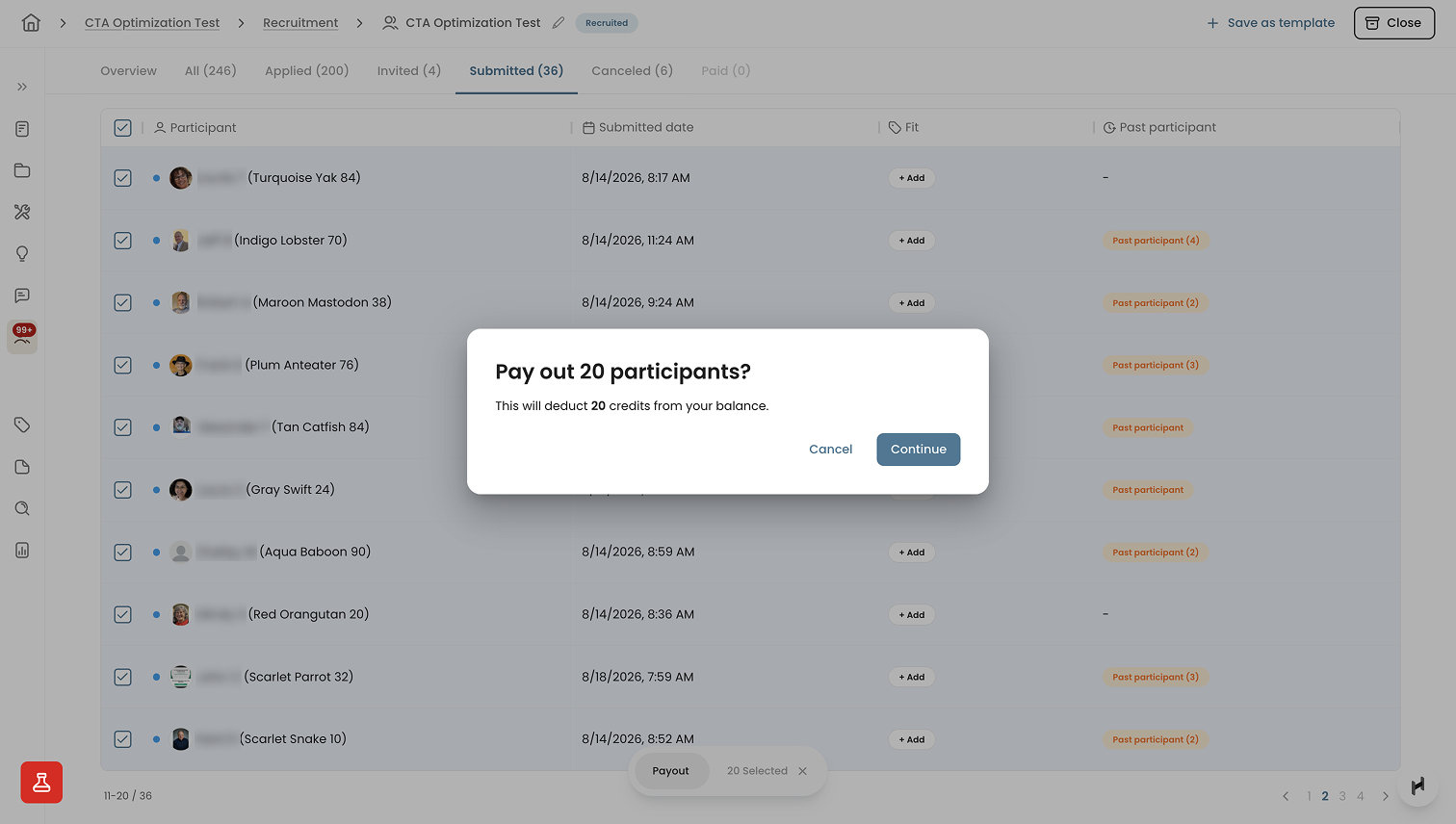
- You can invite participants by bulk by selecting each in the table view
If you toggled Auto-invite in the recruitment setting, participants will be automatically invited and provided with the study link to participate.
Reviewing Submission
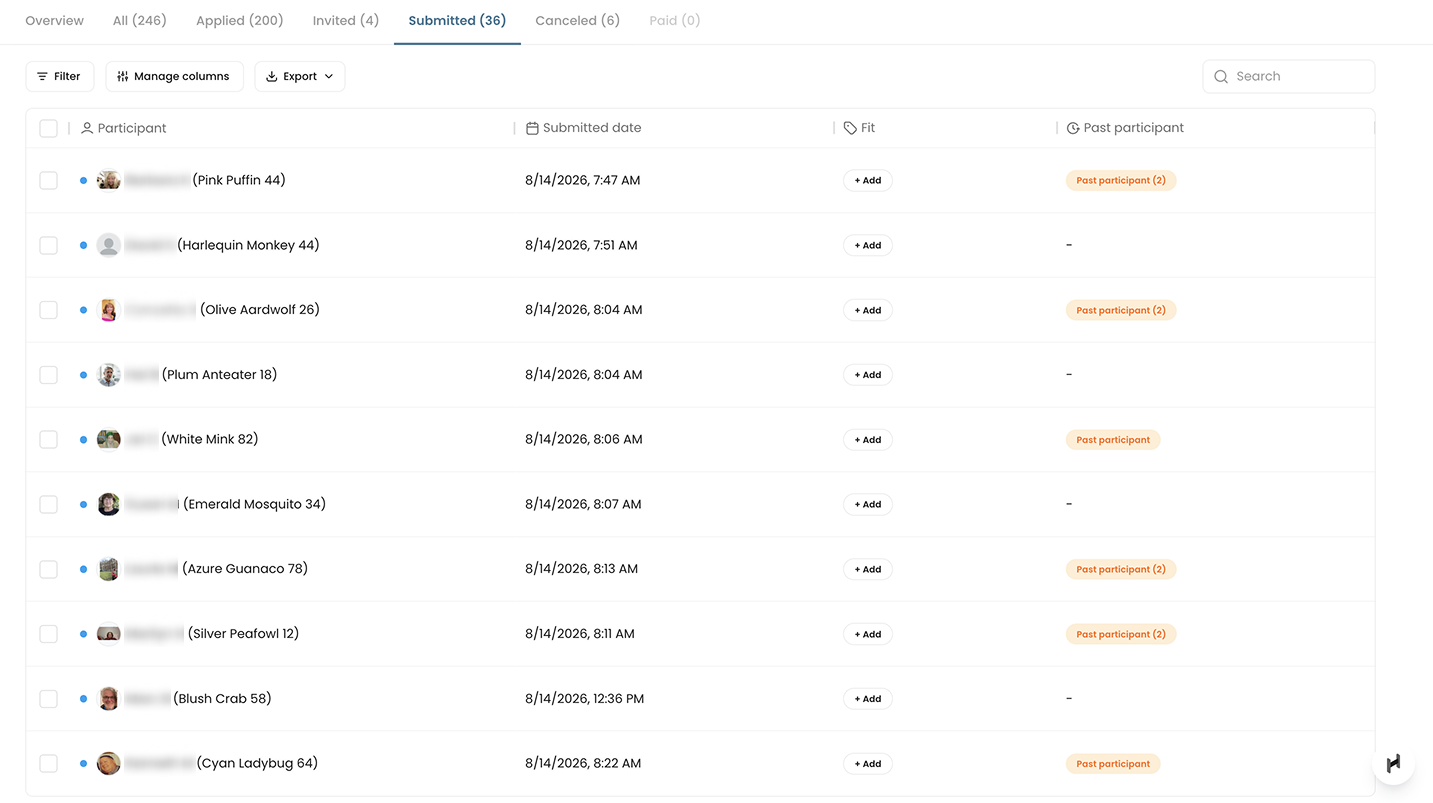
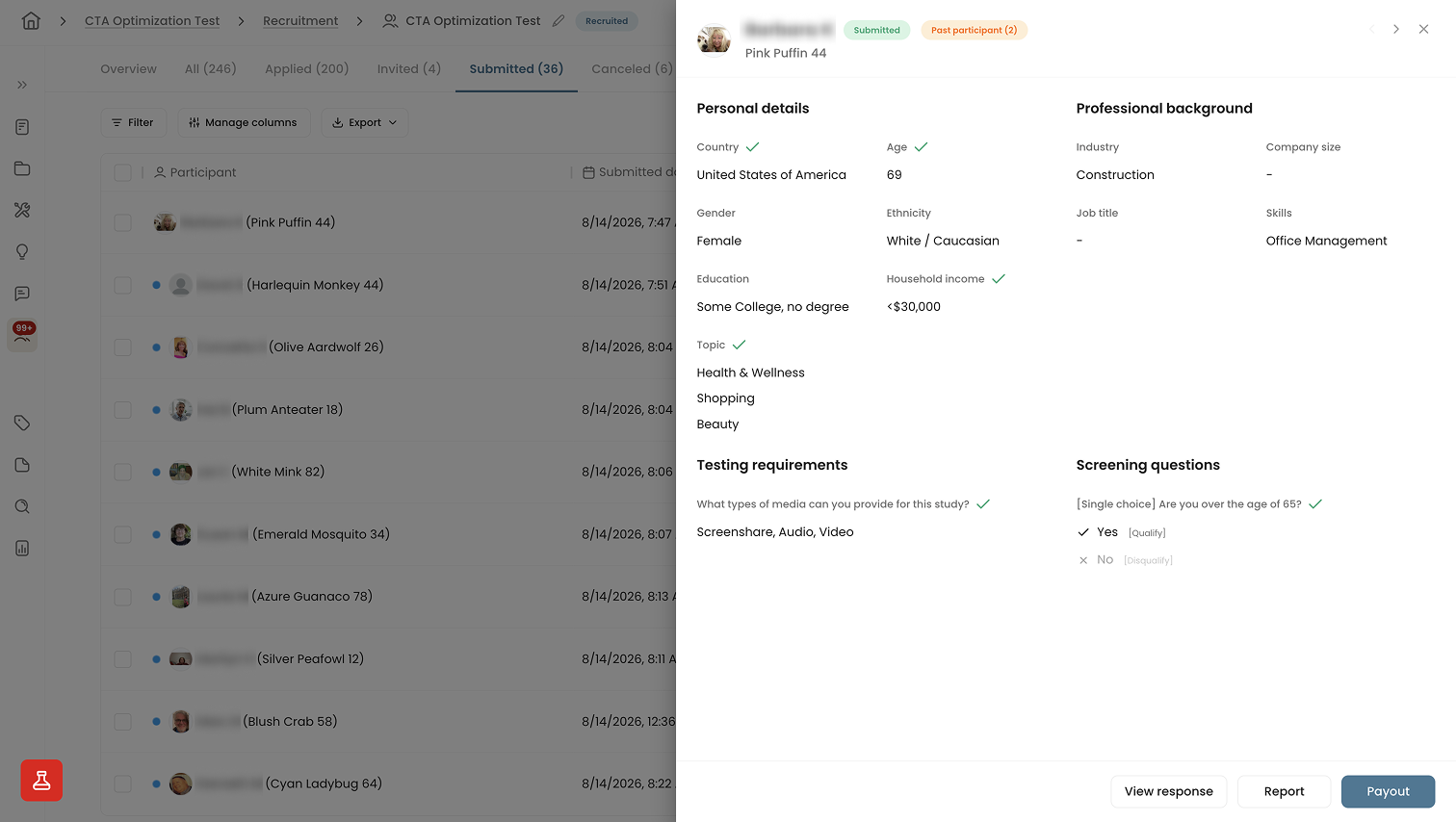
Once participants submit their responses, their identities are anonymized. You can review each participant’s individual responses before issuing payment and marking the session as complete.
Marking Completion
Participants who have submitted and completed the study will be marked as Submitted. At this stage, you’ll need to review their responses to confirm the data quality. If a response is incomplete, missing a recording, poorly matched, or appears fraudulent, you can remove it and nullify the submission.
If the response looks good, select Payout to confirm submission and mark the person as complete. This action will also trigger the participant's payout to be sent automatically through Tremendous, our research incentive provider.
Choosing B2B vs. B2C participants
You have the option to recruit either B2B (Business to Business) or general B2C (Business to Consumer) participants depending on your research objectives.
For B2B research, participants are typically professionals or decision-makers within organizations. They may include executives, managers, or employees who use or influence the purchase of products or services relevant to their business. Recruiting B2B participants often involves targeting specific industries, job titles, or roles that align with the research objectives. Participants have specialized skill sets or expertise relevant to their industry. The article highlights some of the major recruitment challenges related to B2B participant recruitment.
While recruiting B2B participants entails higher costs due to the niche nature of their roles, it ensures that your team engages with individuals who possess the right expertise related to the research objectives.
B2C research typically involves recruiting individual consumers who represent the end-users of products or services. These participants can vary widely in demographics, preferences, and behaviors, depending on the target market. The criteria is more loosely defined than B2B participants, in which you can set project topic areas, such as real estate, games, and travel. Recruiting B2C participants is cheaper than B2B participants but the profile may be more broadly defined.
Deciding whether to recruit B2B or B2C participants depends on the research objectives and clearly defining the participant criteria. B2B participants bring specialized knowledge and insights relevant to specific industries or sectors, making them ideal for studies focused on professional environments or enterprise solutions. Conversely, B2C participants offer perspectives from a broader consumer base, suitable for research on consumer products, services, and experiences.
Use cases and examples of B2B participants
- Software evaluation: Conducting user research to evaluate the usability and effectiveness of a project management tool among IT professionals.
- Enterprise Solutions: Gathering feedback from procurement officers and decision-makers in large organizations to understand their preferences and pain points when selecting enterprise software solutions.
- Industry-specific insights: Interviewing healthcare professionals to explore their workflows and challenges when using electronic health record systems in hospitals and clinics.
- Technical expertise: Engaging software developers and engineers in usability testing sessions to assess the user interface of a developer toolkit or API integration platform.
Use cases and examples of B2C participants
- Consumer facing products: Conducting usability studies with parents of young children to evaluate the design and functionality of a new baby monitor app.
- E-commerce platforms: Recruiting online shoppers across different demographics to participate in remote usability testing sessions for an e-commerce website.
- Mobile applications: Gathering feedback from millennials and Gen Z users through surveys and interviews to enhance the user experience of a social media app targeting young adults.
- Health and wellness: Conducting studies with fitness enthusiasts and health-conscious individuals to understand their habits and preferences.
- Travel and hospitality: Recruiting frequent travelers to participate in interviews and usability tests aimed at improving the experience of a travel booking website or mobile application.
Target specific audiences, invite, and fill your studies with users who closely match your criteria
Request a DemoFAQs


Please schedule a demo with our team to get access to our participant recruitment feature.
You will be able to use all of Hubble's existing research and product feedback features with Hubble participants. In addition, you will still be allowed to invite your own participants and users for your research.
Hubble partners with Respondent to provide participants to researchers. Respondent is a market leading provider of research participants to enterprise companies.
Hubble provides access to over 3 million research participants from 150 different countries.


.png)